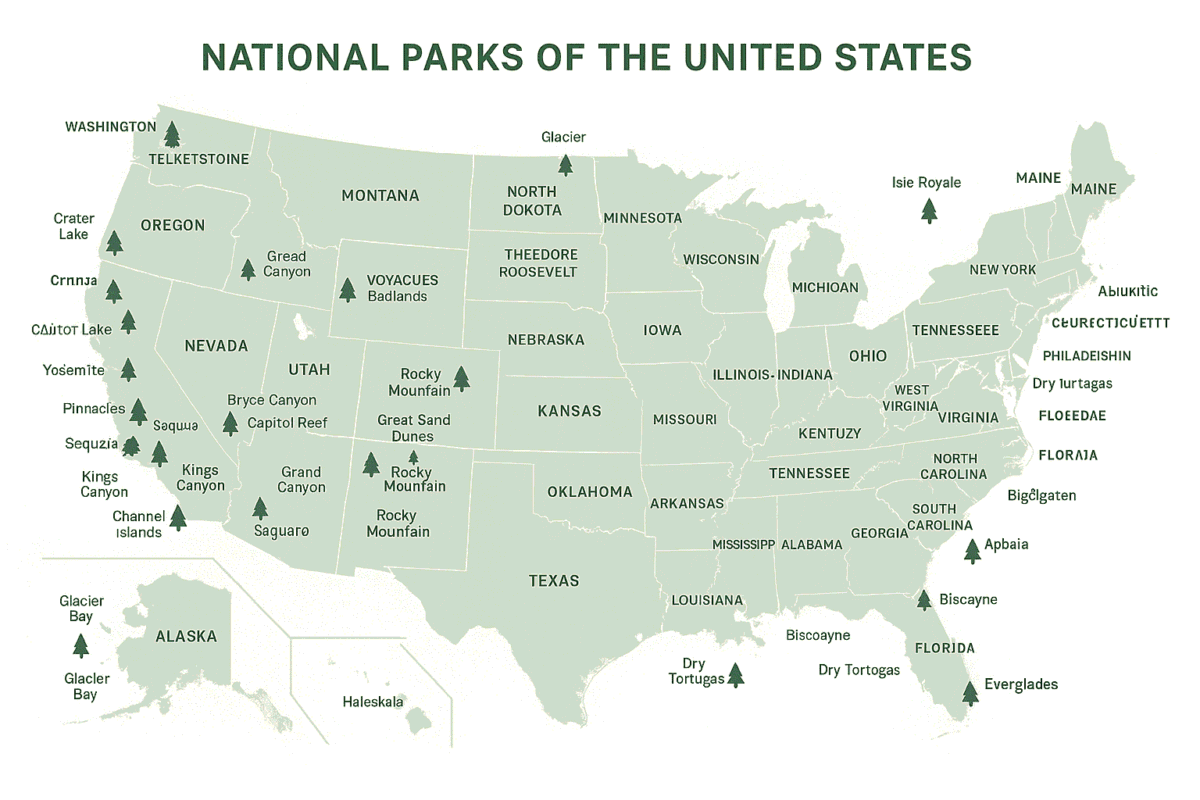
National Park map by state: Most people who have a bad experience at a national park share one thing in common. They showed up without a map and assumed the park would be self-explanatory.
It rarely is. Trails look shorter on Instagram than they are on the ground, visitor centers are not always near the entrance, and the difference between a rewarding day and a frustrating one often comes down to whether you understood the layout before you arrived.
The good news is that the National Park Service has already solved this problem for you. Before we get into how to use their resources, use the interactive map below to locate any national park you are planning to visit and get a feel for its geography and surrounding area.
That single tool already puts you ahead of most visitors who show up with nothing but a screenshot from Google Images.
Why use the Map
A national park map is not just a navigational tool. It tells you where the visitor centers sit relative to the entrance, which roads are seasonal, where trailheads are in relation to parking areas, and which sections require permits or advance reservations.
For large and complex parks like Yosemite or the Grand Canyon, arriving without that spatial orientation costs you hours you cannot recover.
The NPS maps page gives you access to brochure maps, trail maps, campground maps, and backcountry maps for more than 400 parks across the country. It is one of the most underused planning tools available, and it costs nothing.
For international visitors from Germany or Canada building a western United States itinerary, this is the fastest way to understand how a park is structured before booking accommodation or committing to a driving route.
How to Find the Right Map for Your Park
The NPS map finder organizes parks geographically. You zoom into your target region, select the park, and get direct links to that park’s map resources and official planning pages. For parks with complex trail networks, there are often multiple maps covering different sections separately.
If you already know which park you are visiting, go directly to that park’s page on the NPS website and navigate to the maps section from there.
The brochure map downloads as a PDF, which means you can save it offline and access it inside the park where cell service is unreliable or nonexistent.
The NPS app on iOS and Android carries downloadable offline maps for every park in the system and is worth installing before any trip regardless of how well you think you know the destination.
Reading a National Park Map Without Getting It Wrong
The brochure maps use standard cartographic conventions but with a few details that catch first-time visitors off guard. Paved roads are shown differently from unpaved roads and that distinction matters significantly if you are driving a standard rental car.
Many scenic drives in parks like Bryce Canyon National Park or Grand Teton National Park include unpaved sections that are only accessible to high-clearance vehicles. Missing that detail on the map means getting stuck or turning back.
Trail distances on NPS maps are given as one-way distances unless otherwise stated. This is a consistent source of miscalculation for first-time visitors who plan a hike based on the number shown and then discover they have to cover that same distance back.
Always confirm whether mileage is one-way or round trip before committing to a trail, especially with children or in high-altitude parks like Rocky Mountain National Park where exertion at elevation feels entirely different from sea level hiking.
Elevation gain is marked on most trail maps and is the single most important variable for estimating how long a hike will actually take. A two-mile trail with 1,500 feet of gain takes significantly longer than a flat two-mile walk. The NPS maps give you that data upfront so you can plan honestly rather than optimistically.
Using Maps to Plan a Multi-Park Route
Where the NPS map system becomes genuinely powerful is when you are building a route across multiple parks. Pulling brochure maps for each park in sequence lets you understand the geographic relationship between them, estimate realistic drive times between entrances, and identify which parks share access roads or gateway towns.
A classic western circuit might move from Yosemite National Park in California through Nevada and into Utah, taking in Bryce Canyon and Zion before heading north toward Grand Teton and Yellowstone.
Each of those parks has its own dedicated map on the NPS system, and reading them together before departure turns what could be a logistically chaotic trip into a well-sequenced itinerary with realistic daily targets.
For the eastern United States, Great Smoky Mountains National Park is the most visited park in the country and one of the most disorienting for first-time visitors because it straddles two states with entrances on both sides.
The NPS map for the Smokies is essential reading before arrival, not optional. Knowing which entrance aligns with your accommodation and which roads connect the Tennessee and North Carolina sides saves meaningful time on the ground.
The sequence matters. Most people book flights, then accommodation, then figure out the park. The smarter approach is to pull the map first, understand the geography, then build everything else around what the map tells you is actually possible given your time and fitness level.
Use the interactive map at the top of this page to start exploring, then head to the NPS maps finder to download the official brochure for whichever park you are planning to visit. That combination of interactive overview and detailed official map is all you need to plan a national parks trip that actually works.